
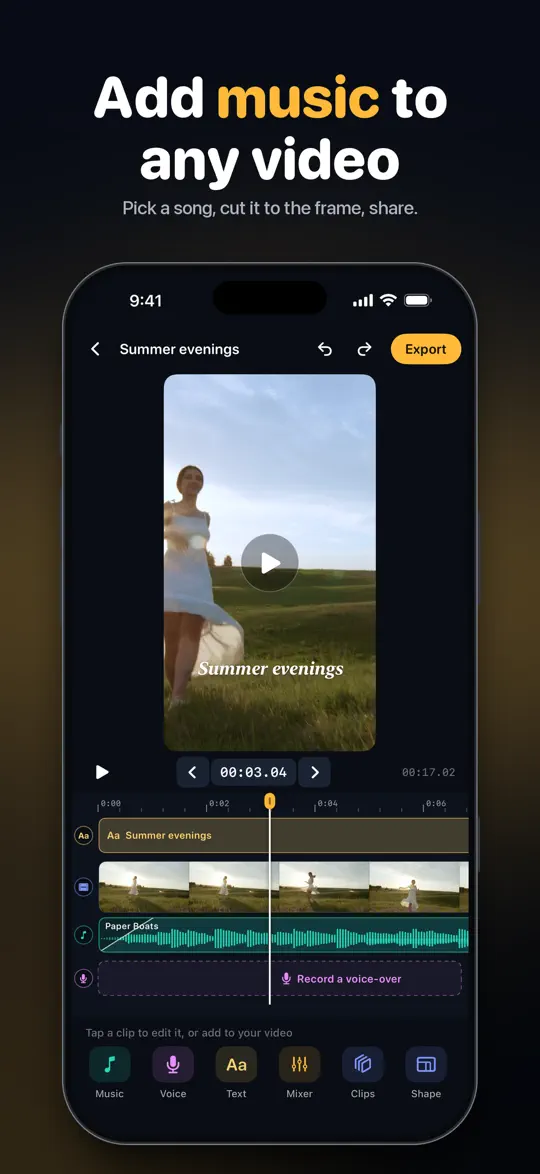
Add music to any video on your iPhone.
Pick a video, add a song, cut it to the exact frame, and talk over it. Save it in full quality, up to 4K. No watermark and no account.


Scan to downloadPoint your iPhone camera here.
- Free
- iPhone
- Photo & Video
- iOS 17 or later
- 30 languages
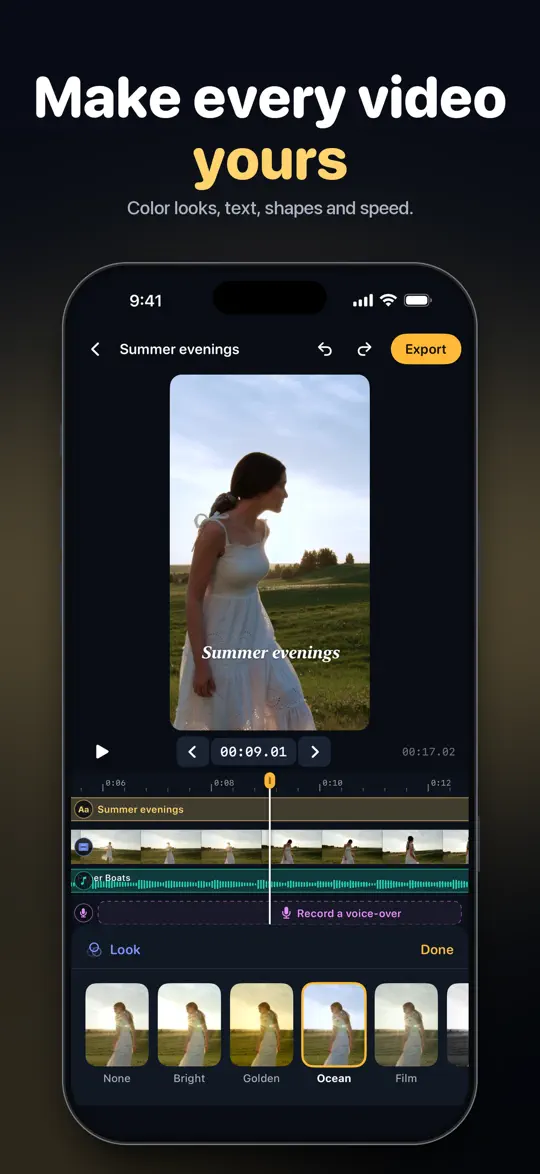
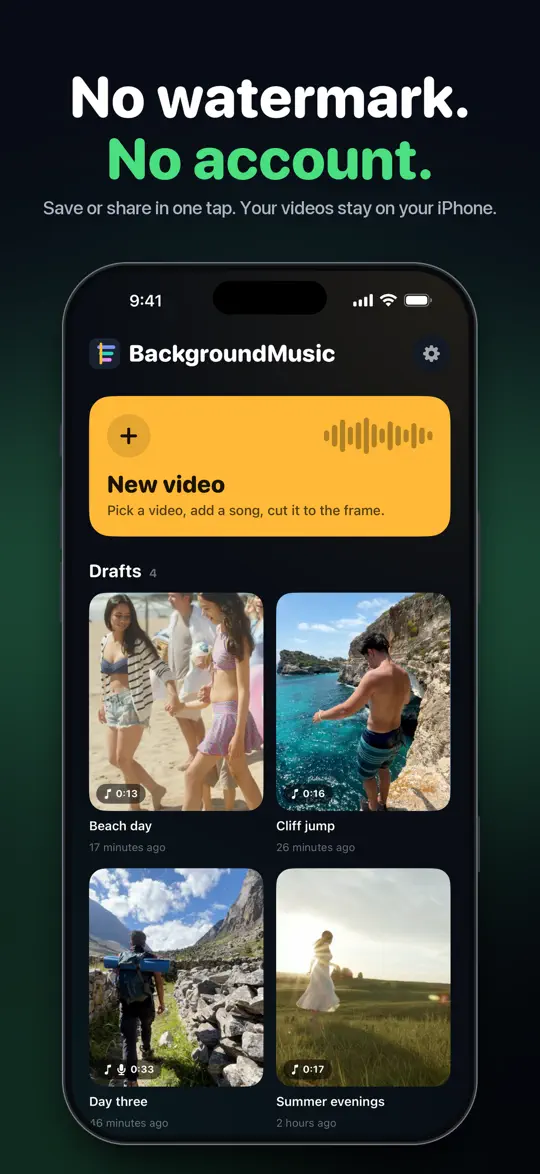
Scroll for more screenshots →
01 — What it does
The right song. The right moment.
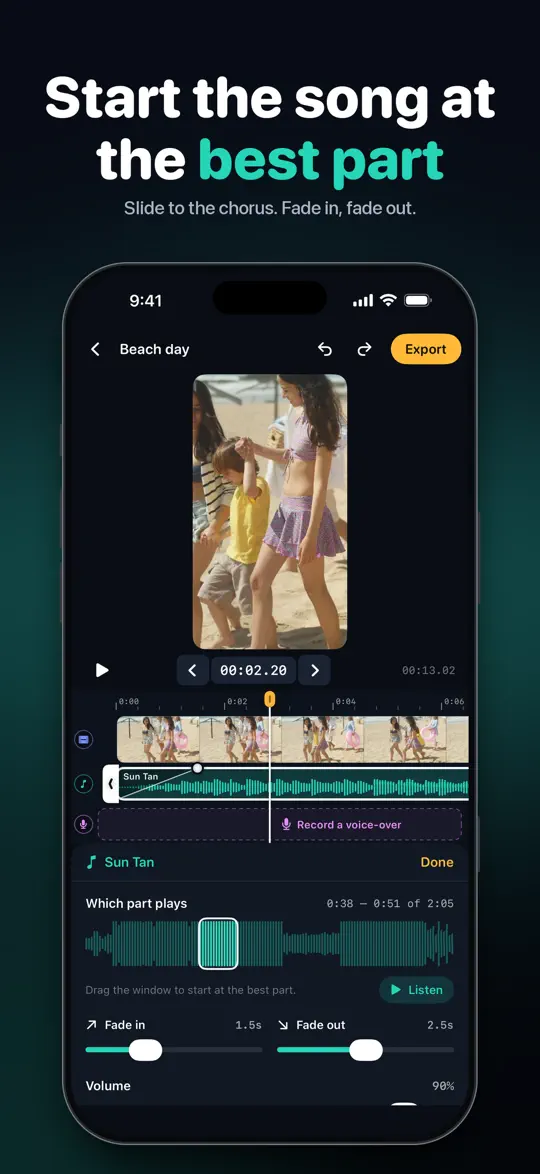
Start at the best part
Slide the song to the chorus. Fade in and out, and mix more than one song.
Music from anywhere
A built-in song library, your own MP3, M4A or WAV files, songs you own, or sound from another video.
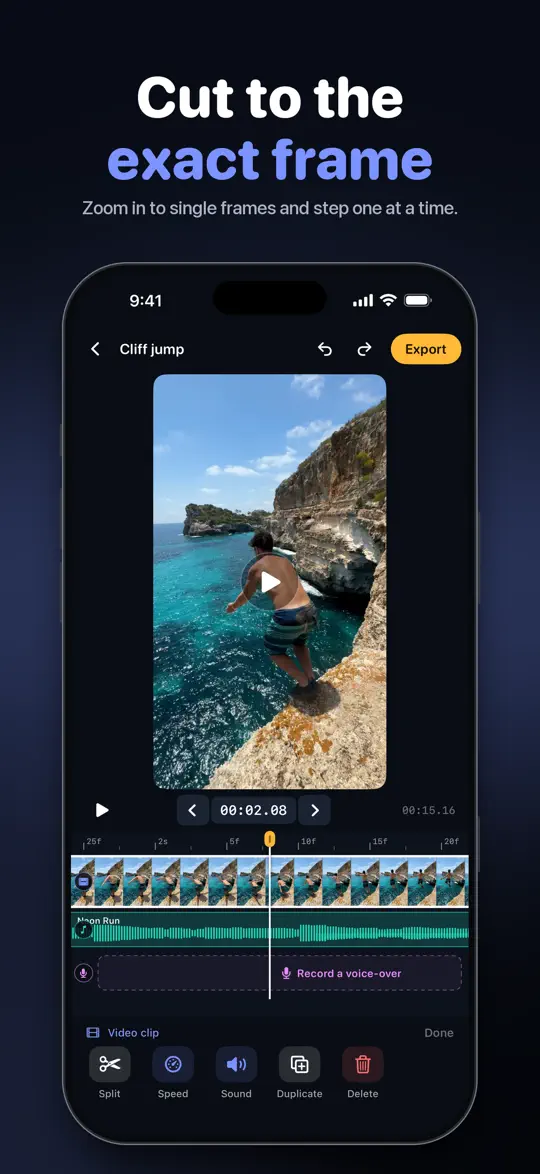
Cut to the exact frame
Zoom down to single frames. Trim, split, join clips and photos, and snap cuts to the beat.
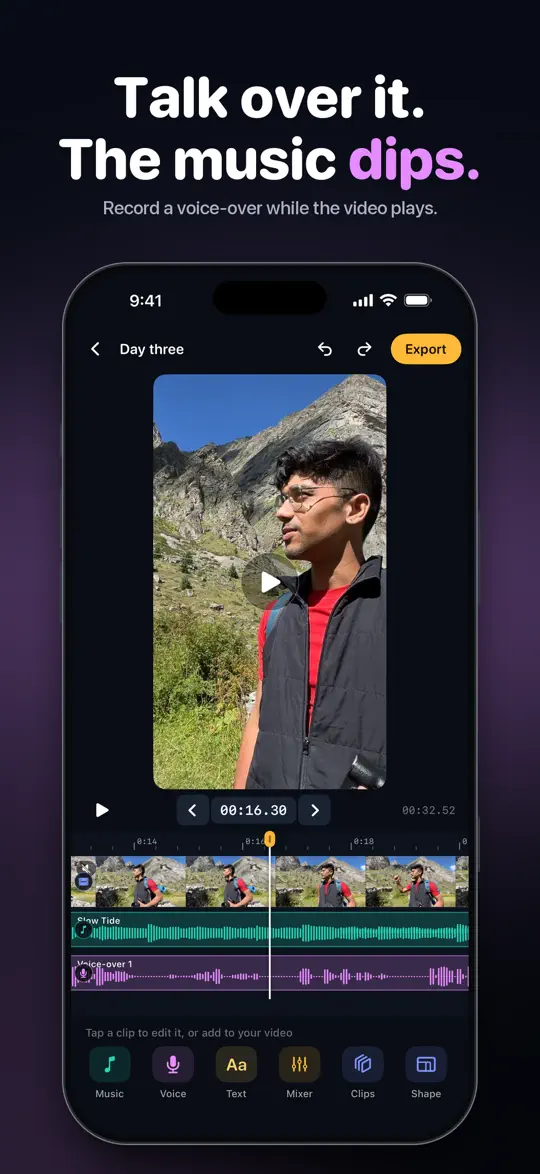
Talk over it
Record a voice-over while the video plays. The music gets quieter while you talk.
Auto captions
Turn the talking into captions, right on your device.
Up to 4K, no watermark
Export in 720p, 1080p or 4K. Shapes for Reels, Stories, posts and YouTube.
02 — How it works
Three steps. That's it.
Pick a video
Choose a video from Photos, or join several clips and photos.
Add music
Pick a song, slide it to the best part, and cut the video to the beat.
Save
Export in up to 4K, then save to Photos or share in one tap.
03 — Questions
Good to know.
How do I add background music to a video on iPhone?
Open the app, pick your video, and choose a song from the library, your files or your Music library. Slide it to the best part, then save the video to Photos.
Is there a watermark?
No. There's no watermark and no account. Your videos stay on your device.
Can I use my own music?
Yes. Use your own audio files like MP3, M4A and WAV, songs you own in your Music library, or the sound from another video.
Can I add a voice-over?
Yes. Record while the video plays, with a 3-2-1 countdown. The music gets quieter while you talk, then comes back up.
How do I keep my Reel from being muted?
Export the video without music, then add a popular song inside your social app instead.
What do I need?
An iPhone with iOS 17 or later. The app is free to download on the App Store.
Guide: How to Add Music to a Video on iPhone (No Watermark) →
Get Background Music. It's free.
Add Background Music in Videos · iOS 17 or later
04 — More from Bytesong
 QR & Barcode
 ScanX
 Auto Paste Keyboard
 Wake Better
 Alarmo